Can browser games give you a virus?
The game itself is rarely the problem. The fake download button next to it often is.
A game that runs in an up-to-date browser can't install a virus on its own; the browser's sandbox keeps web pages away from your files. The real risks are fake download prompts, malicious ads, browser extensions and phishing pages.
Rule of thumb: a real browser game never needs you to download or install anything.
How a browser game runs
A browser game is a web page. Its code runs inside the browser's sandbox, which walls it off from your files, your other apps and the rest of your system. It can save small amounts of data for its own site, like a game save, and it can ask for things like the microphone or motion sensors, which the browser shows as a permission prompt you can decline. Modern games use JavaScript and WebAssembly. Flash, which had a long history of security holes, was switched off by browsers at the end of 2020.
Where the real risks are
| Risk | What it looks like | What to do |
|---|---|---|
| Fake downloads | A pop-up says you need a player, codec or “HD launcher” to play | Close it. A browser game never needs a download |
| Bad ads | Ads that redirect you, or fake “virus found” warnings | Close the tab; stick to sites without aggressive ads |
| Browser extensions | A game site pushes you to add an extension | Decline. Extensions can read every page you visit |
| Notification spam | “Click Allow to continue” | Click Block. Games don't need notifications |
| Phishing | “Log in with Google” on a site you don't recognize, or prizes that ask for card details | Leave. Free games don't need payment details |
| Out-of-date browser | Old versions miss security fixes | Keep automatic updates on |
A 30-second checklist
- Address barHTTPS and a domain you expect
- DownloadsNone. If a file starts downloading, cancel and delete it
- PermissionsAllow only what the game clearly needs
- AccountsPrefer games that don't need one
- AdsFewer ads, fewer chances for a bad one
- BrowserCurrent Chrome, Safari, Edge or Firefox
How Intuzu's games handle this
Our games ask for no download, no account and no payment details, and they carry no ads. Saves are stored in your browser for our site only. Volt Party asks for your phone's motion sensors because it uses the phone as a controller; nothing else asks for permissions. HOLO X1 games that are built from player ideas, run in a locked-down frame with no network access, and every game is checked automatically before anyone can play it.
-
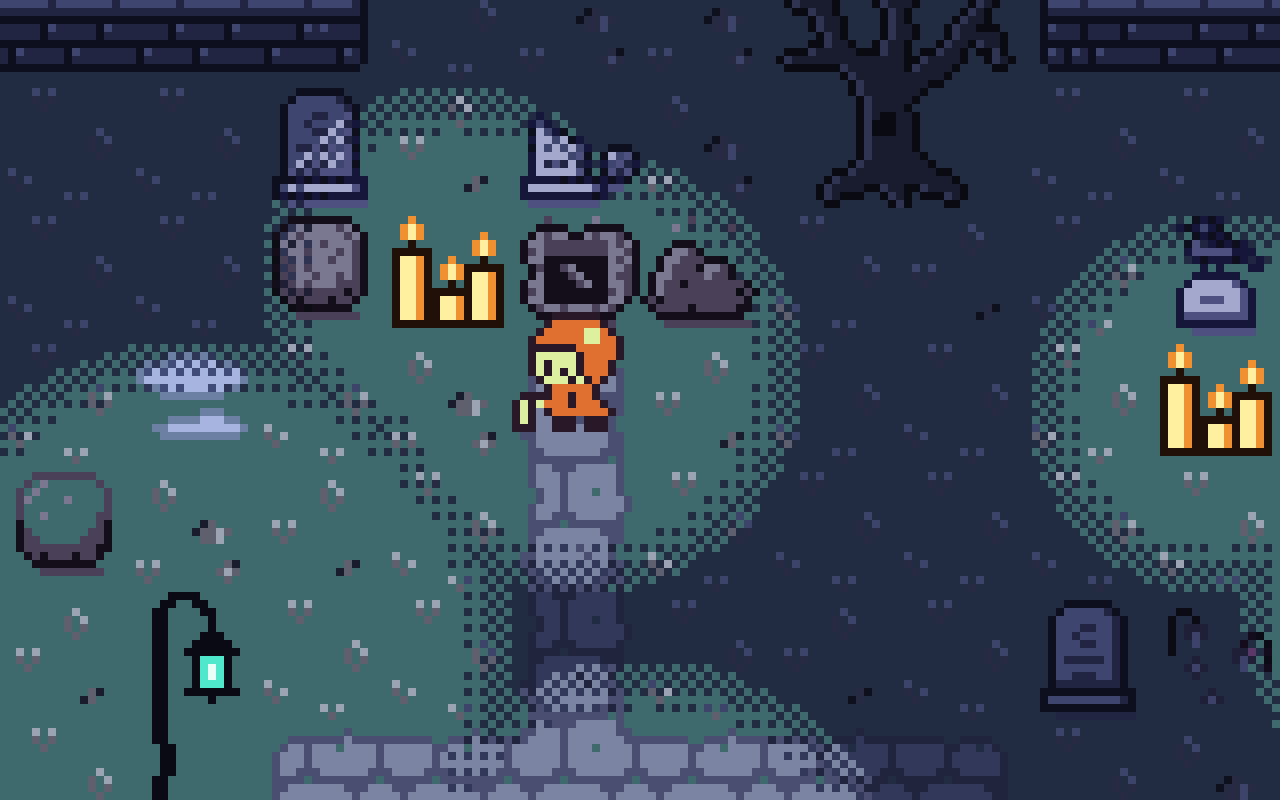 Monster RPG · Free · No download
DUSKWARD
A cute-spooky monster RPG with a hand-made story. You wake in a graveyard at midnight with a lantern and your dog, then walk the Lantern Road catching 69 hand-drawn creatures of the night, solving shrine puzzles and facing each shrine's Keeper.
- Session
- Chapters 1 and 2 run several hours. It saves on every new area and when you close the tab.
- Controls
- Arrows or WASD, Z or J = A, X or K = B, Enter = START, Shift = SELECT, M = sound. Touch pad on phones; gamepads work.
- Runs on
- Any modern browser, desktop or phone
-
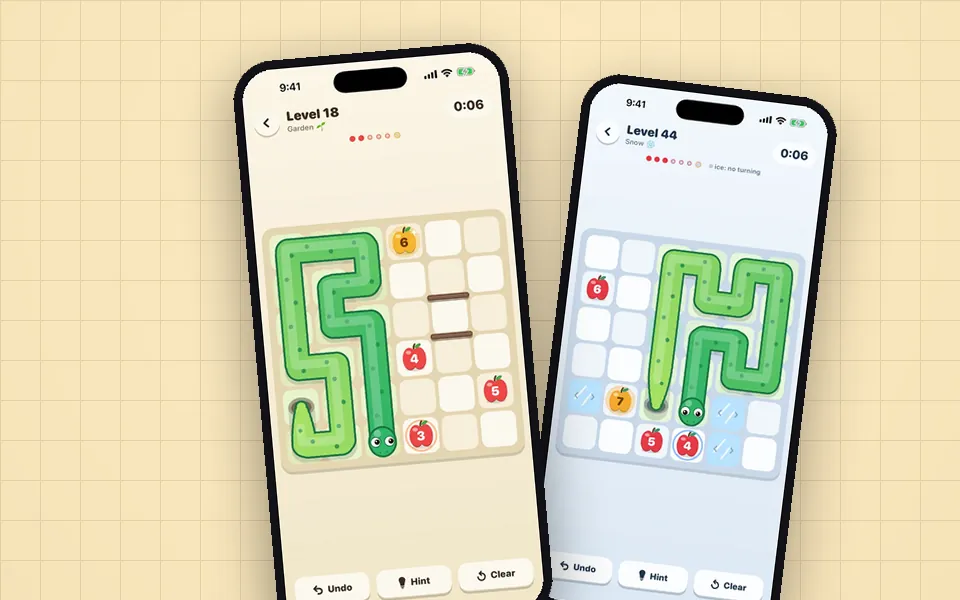 Daily puzzle · Free · No download
Noodle
Snake as a path puzzle. Drag Noodle through every square, eat the numbered apples in order and finish on the golden apple. One new board at midnight, the same for everyone, plus a harder Big Noodle, an archive and 600 levels.
- Session
- 2 to 10 minutes for the daily.
- Controls
- Drag with a finger or mouse, or use the arrow keys. Z undo, R restart, H hint.
- Runs on
- Any modern browser, desktop or phone
Questions people ask
Can browser games have viruses?
The game code runs in the browser's sandbox and can't install software by itself. Malware usually arrives through fake download buttons, bad ads or extensions on game sites.
Is it safe to play games in Chrome or Safari?
Yes, if the browser is up to date and you don't download files, install extensions or enter payment details that a game site asks for.
Do browser games need Flash?
No. Browsers ended Flash support at the end of 2020. Today's games use JavaScript and WebAssembly.
What should I do if a game site says my computer is infected?
Close the tab. That's a scam ad. Don't call any number or download the "cleaner" it offers.